

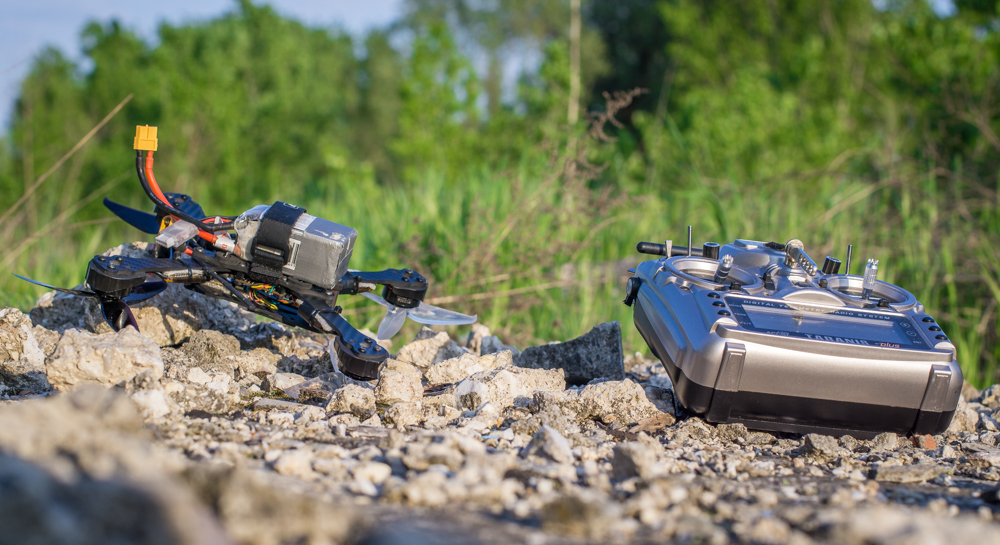
You have finished your latest and greatest drone build and you are getting ready to maiden it, there are few things to consider to make your maiden more enjoyable and successful and also avoid FPV Drone Build Problems. In order to be more concise the following troubleshooting guide addresses general hardware issues and configuration issues on Betaflight / Cleanflight / Butterflight based flight controllers that may also apply for other flight controllers with slight modifications.[vc_row][vc_column][vc_single_image image=”1862″ img_size=”large” alignment=”center” onclick=”link_image”][/vc_column][/vc_row][vc_row][vc_column][vc_column_text]
Before maiden flight
You can avoid or trace most of the fpv drone build problems happening on maiden flight by following the simple checklist outlined below.
Soldering
You should be sure that all your solder joints have the liquid silver look and are reliable. Bad solder joints may cause the FC, RX, ESC or Motor to loose power, prevent the signal from the fc to reach to the ESC or sbus signal from the RX reaching the FC.
If you are new to soldering and not exactly sure how to improve your skills, be sure to check the Learn how to Solder like a Champion! article for some great soldering tips and tricks.[/vc_column_text][/vc_column][/vc_row][vc_row][vc_column][vc_single_image image=”1865″ img_size=”large” onclick=”link_image”][/vc_column][/vc_row][vc_row][vc_column][vc_column_text]
Motor screw length
Take care to use appropriate motor screws depending on the arm thickness, in order to prevent the screws touching the motor windings and damaging the motor. Usually you will receive two sets of motor screws intended for 3mm and 4mm thick arms. Nowadays in the time of naked bottom motors it is really easy to check if the screws are too long just make sure that you do, also some manufacturers are already putting a plastic shield between the screw hole and the windings in order to protect the windings from the screws.[/vc_column_text][/vc_column][/vc_row][vc_row][vc_column][vc_single_image image=”1868″ img_size=”large” onclick=”link_image”][/vc_column][/vc_row][vc_row][vc_column][vc_column_text]
Motors are spinning freely when mounted on the arm
Sometimes, if the motor is not properly centered, the C-clip may be rubbing on the side of the arm and prevent the motor from spinning freely. Aligning the bottom bearing with the hole on the bottom of the arm would solve this issue.
When building with already used motors you should check if all the shafts are straight and there are not any C-clips or retainer bolts missing. In addition, when you try to spin them by hand they should spin freely, otherwise that could be a sign of debris between the magnets and the stator, bent bell, loose magnet or bent motor bottom.[/vc_column_text][/vc_column][/vc_row][vc_row][vc_column][vc_column_text]
Proper motor order and rotation
Check for proper connection between the ESC signal wires and the flight controller by following the flight controller motor order. When using 4in1 ESC double-check the wire order on the JSD-SH connectors, not all ESC/fc combinations have the same motor order. You could check if the motor layout and configuration is correct in the motors tab in Betaflight configurator.[/vc_column_text][/vc_column][/vc_row][vc_row][vc_column][vc_column_text]
Flight controller orientation
Be aware of the flight controller orientation and change the flight controller configurator options accordingly.[/vc_column_text][/vc_column][/vc_row][vc_row][vc_column][vc_single_image image=”1872″ img_size=”large” onclick=”link_image”][/vc_column][/vc_row][vc_row][vc_column][vc_column_text]
Rx binding
While in the flight controller configurator you can also check if the Rx is binded and configured properly and also if the channels are mapped correctly
Proper propeller placement
Take your time when mounting the propellers. Once you have learned how to mount them it may seem as a straightforward process, but even the pros could make a mistake on a race event.
In the newer firmware versions for the flight controllers, there is an option to reverse motor rotation (screenshot from betaflight switch) and while this is good for keeping the camera lens clear and better gate crash handling, you may get confused sometimes, especially if you own multiple rigs with different motor rotation settings.
Flight controller overloaded
In some rare cases some of the available configuration settings may cause the FC processor to be overloaded and prevent you from arming the FPV drone. This never happens with the default firmware settings, so unless you were experimenting with loop times and/or gyro sampling rates you will never experience this issue.[/vc_column_text][/vc_column][/vc_row][vc_row][vc_column][vc_single_image image=”1877″ img_size=”large” onclick=”link_image”][/vc_column][/vc_row][vc_row][vc_column][vc_column_text]
ESC / Motor / Propeller combination
It is worth mentioning that In some cases FPV Drone build problems could be caused by components not matched properly, especially motor / ESC / propeller combination. Some combinations may activate the ESC overload protection or in worst-case scenario cause the motor or the ESC to overheat and burn.
Before ordering specific motor / ESC combination you should do some research and at least check the motor static thrust test results on websites like Mini Quad Test Bench or EngeneerX Youtube channel.[/vc_column_text][/vc_column][/vc_row][vc_row][vc_column][ultimate_ctation content_alignment=”ctaction-text-left” ctaction_background=”#ffcd32″ ctaction_background_hover=”#ffbf00″ enable_icon=”enable_icon_value” icon=”Defaults-info-circle” icon_size=”55″ text_color=”#4d4d4d” ctaction_padding_left=”20″ ctaction_padding_right=”20″ text_font_size=”desktop:24px;” text_line_height=”desktop:30px;” ctaction_link=”url:https%3A%2F%2Fwww.youtube.com%2Fuser%2FEngineerX%2Fvideos||target:%20_blank|”]As EngeneerX states: in flight, Amp draw is approximately 25% to 35% lower than thrust stand readings. Also the small 800-1600mAh LiPos used as flight packs can’t sustain nor supply such high discharge rates.[/ultimate_ctation][/vc_column][/vc_row][vc_row][vc_column][vc_column_text]
FPV System wiring
There are few things to consider when wiring your camera and video transmitter that could help you get better quality video feed.
- If possible, power your camera from the video transmitter or use the camera pads on your flight controller in order to reduce the noise in your video feed
- The video signal wires going from the camera to the video receiver should be as short as possible and not crossing near or touching electronic noise inducing components, such as ESCS, radial inductors, etc.
- Take care that the camera and the video transmitter have a common ground. This could prevent the osd flickering on high throttle for some flight controllers
- If you aren’t planning on using an OSD then wire the video signal from the camera directly to the video transmitter
- Isolate the video transmitter SMA connector from touching the carbon frame by using a double-sided sticky foam tape
- Use a low ESR (equivalent series resistance) capacitor of minimum 25 volts and 200uF
[/vc_column_text][/vc_column][/vc_row][vc_row][vc_column][vc_column_text]
FPV System checkout
One last check before heading out to maiden your FPV Drone is to test that your FPV feed is working properly, double-check that the video transmitter and receiver are on the same frequency and your video transmitter antenna is not damaged or loose.[/vc_column_text][/vc_column][/vc_row][vc_row][vc_column][vc_column_text]
Troubleshooting FPV Drone build problems after maiden flight
FPV Drone not arming
So you are out in the field ready to maiden your new FPV Drone and guess what, that thing won’t let you maiden it, since it is not arming at all.
If you have followed the above checklist thoroughly there is small possibility for this to happen, but anyway if your newly built FPV Drone is not arming, this is a sign of one of the following issues:
- Check that the rx power wires aren’t broken
- The rx is not binded
- Rx channels not mapped properly
- Throttle not at zero or min_check too low
- If enabled, the accelerometer is not calibrated (check Betaflight stick commands for in field calibration)
- High cpu load
A beeper connected on the flight controller could help when solving this issue. All flight controllers have a specific beeper codes for things like those that rx is not linked with the tx, the tx is off, throttle is not at zero position etc. You can find the beeper codes for flight controllers based on Betaflight / Cleanflight firmwares in the official Betaflight FAQ here.
FPV Drone shooting up to the sky or jumping at you and trying to kill you
Things like this usually happen as soon as you arm your FPV drone and throttle up.
Most of the times the source of the “shooting up” thing are excessive vibrations coming to the flight controller, which tries to overcorrect and it seems like it is not responding to throttle commands at all but you can steer it and disarm it. Soft mounting the flight controller or finding and eliminating the source of the excessive vibration solve this issue.
Flipping out or jumping at you immediately after arming it means ether wrong motor order, motor direction or propeller placement.
You can check the motor order and direction in the corresponding configurator software for your flight controller.
[/vc_column_text][/vc_column][/vc_row][vc_row][vc_column][vc_single_image image=”1870″ img_size=”large” onclick=”link_image”][/vc_column][/vc_row][vc_row][vc_column][vc_column_text]
Death rolls & brownouts
Most of the times you could do a simple maiden flight, test hover your FPV Drone build do some light punch outs and not experience any problems. However, when you start to fly FPV you may experience your FPV Drone flipping and/or falling out of the sky.
In this case, it is advisable to try to fly few more times in order to gain some more insight into this problem. Try to remember the side that your FPV drone is flipping, whether it is random or specific side and if it happened while doing hard maneuvers; the throttle percentage was near maximum or minimum. This may point out if the problem is with only one motor/ESC combination or if it has something to do with the motor timing, motor idle speed or ESC firmware.
Flipping on the same side would definitely mean that either the ESC or the motor on the arm that is dipping are damaged and problematic. The easiest solution in this case would be to inspect them for damage or bad solder joints. If you cannot find any damage, you should at least reflow all solder joints on that arm and test if the issue has been resolved. If the issue persists, it is advisable to replace the ESC or the motor.
Joshua Bardwell has recently posted a great video explaining how to diagnose a bad motor by using Blackbox logs:[/vc_column_text][/vc_column][/vc_row][vc_row][vc_column][vc_video link=”https://www.youtube.com/watch?v=ZccPV8Ucl2g”][/vc_column][/vc_row][vc_row][vc_column][vc_column_text]If your FPV Drone build problems are manifested as flipping on random sides or just falling out of the sky that could be a sign of one of the following issues:
Wiring or antenna problems
Flight controller loosing power mid flight, receiver failsafe or loose connection on the sbus pad. These three look similar since the motors disarm and your FPV Drone drops like stone. In case of a failsafe, you may get an RSSI warning if your rx/tx has such feature.
You should recheck the solder joints and most important all wires for continuity. Be aware that sometimes when using JST connectors with silicon-coated wires the wire may be broken at the crimping point.
Wrong motor timing
You may be able to hear the wrong motor timing as audible motor stutter while doing hard maneuvers and cause motor desyncs. The motor timing is an ESC setting that briefly defines the motor’s electromagnetic coils firing time. Lower value means that it will fire earlier and thus produce more RPM while higher value fires later and produces more torque but reduces the RPM. Generally, when experiencing desync issues it is advisable to increase the timing while checking if the problem persists.
Some of the newer ESCs especially the ones based on BLHeli_32 have automatic timing feature that measures the demagnetization time and keeps the timing as low as possible without causing demagnetization issues.
Be sure to check the BLHeli manual if you need more info about motor timing
Motor stalling
Another issue that could cause random flips or so called “death roll” is motor stalling during hard maneuvers caused by low digital_idle_percent value when using Dshot protocol. The solution in this case would be to increase this value. In my experience, setting it to 7 or 8 solves this issue. You can read more about setting this value and setting Dshot ESC Protocol on Betaflight here
Voltage spikes
Voltage spikes generated by motors braking when using damped light that are overloading some of the electronic components on the flight controller thus causing unpredictable behavior. Most of the time this is prevented by using a minimum of 25V 200uF capacitor by bridging the main battery power terminals
No signal ground on the ESCs
Not using the ESCs signal ground wire which is strongly recommended to be grounded on Dshot ESCs
ESC firmware is not up to date
Sometimes using newly released ESCs could mean that the firmware could have some bugs that may cause issues, so it is advisable to check and update to the latest stable firmware version
FC not playing well with other components
In some cases the flight controller may not “play well” with some ESC types or on certain voltage. I have had a flight controller that worked perfectly on 3S batteries and my drone was dropping of the sky when I tried to fly it on 4S batteries. Another one was not working reliably on some ESCS and it has replaced with newer revision. So be sure to check if other fellow pilots have had the similar experience.
It is worth noting that analyzing the blackbox logs if you have them could prove helpful when troubleshooting FPV Drone build problems. You do not have to be good at analyzing blackbox logs to notice if the culprit is one motor/ESC or if it is happening randomly.[/vc_column_text][/vc_column][/vc_row][vc_row][vc_column][vc_column_text]
FPV Drone build problems with the video feed
White lines
White or clear lines in video feed is sign of electronic noise and it could be fixed by adding a capacitor to the main battery terminals
Dark lines
Dark lines in the video feed are sign of either having the video transmitter needs more power than provided or in come cases it may be a sign of a faulty video transmitter or camera, you could test this by powering the video transmitter directly from the battery leads.
Jello
Visible jello or shaky video feed could be a sign of loose camera screws, loose camera sensor inside the camera casing or loose or defective camera lens. You should check and tighten the all screws, try adding some sponge or hotglue between the camera sensor board and the camera back cover and replace the camera lens. If none of the above helps, then the issue has something to do with either defective motor bearing, problematic motor shaft, and bent motor bell, bad propeller or tuning issues.
FPV feed interference
Video feed breaking out on small distances usually means that you have either defective antenna or antenna lead, broken SMA connector on the video transmitter, faulty video transmitter or even having selected a wrong channel frequency on your goggles that is near the one that the video transmitter outputs on.
If you want to read more about FPV Drone problems and solutions regarding the video transmitter and fpv camera, visit Oscar Liang’s article dealing with this issue here
When assembling your FPV Drone, even if you are eager to finish it as soon as possible, take your time and do the things thoroughly, this could help you later on to spend more time in the air and less time troubleshooting FPV Drone build problems. Although this article is relatively long, it is scratching the essentials of the problems and I certainly hope that you will find it helpful both as a checklist for issues that may appear during assembly and as a troubleshooting guide after your maiden flight.
Let me know if you have anything to add by commenting below.
Great parts & now info too. Y’all are doing it right. Keep em spinning.
Thanks, Steve, I appreciate your comment!
Great information about how to verify problems with these complex home assemblies that have a habit of making you frantic when they won’t work. So many possibilities, with systematic checks problems can be sorted. Thanks for taking the time required to put this information together.
Thanks, I’m glad to share my knowledge and if this article can help you in any way.
I love all the info you provide and I thank you. I am currently doing my very own first build. I don’t suppose you could send me a link to a pin out or a diagram to be able to wire a Racerstar Rev35A 4 in 1 ESC to either a SP Racing MOF 3 ver1. FC or the HGLRC F3 V3.1 FC? I’ve looked for the exact one to either of these two for many hours to no avail. A huge THANK YOU! in advance.
Thanks! I’m glad I can help.
Unfortunately, I was unable to find the requested connection diagram, so I have created one for you 😉
You may find it on the following link https://www.dropbox.com/s/ryojy04gug57wwf/diagram.jpg?dl=0
Aleksandar Kolov
Hey man thank you so much for this article it really help me a lot also with other issues that i had in the past.
Congratulations for whole help that you gave to us.
Thanks, it means a lot to me to see that the provided info has helped someone.
Thank you so much for sharing this great information. This article is really very helpful.
Hi the article was informative, I still however am having an issue I cannot resolve. On my recent build using a Bumper frame, Emax motors and HGLRC mini stack I am having a sound that sounds like a beep but every time it beeps the motors cut out. This is during take off so the drone will lift off the ground a weird beep and the motors cut and the drone drops to the ground and then the motors come on again and it shoots up. It does this over and over smacking into the ground and hooping up and down. I have no idea why. Please help.
Our motors keep changing directions. It spins cw then ccw. They keep alternating. The ESCs are good as well as motors. Any other ideas as to what can cause this? 3D flight is off.
Thank you!
Hi, I recently started in this hobbie, I mounted my first drone and everything works fine, but the only problem is white lines in my googles, after some tests I think is due to vibration on the VTX. if there is no vibration at all (board detached from the body) everything works fine, but if I touch any part of the drone with the VTX or simple hit the VTX board with my fingers, white lines appear. How is this possible and do you think it is fixeable? Thank you in advance.
A real useful article, thanks for taking the time.
Cheers
Gaf (UK)
really helpful stuff here but i was wondering if anyone would know whats up with my drone i’ve recently joined the hobby and have built my first drone and it flies great on 3s but on 4s just sits there withe the motors spinning on full throttle all my gear is rated for 4s and I’m using 20a escs anyone know what I’m doing wrong
So I just got done with a iflight f405 twin G /35amp esc succex build. I maidened it at the house with a few batts just cruising. Ni hard throttle movements and no flips. Everything seemed fine on stock everything except rates. Then I took it out to the park for some proper freestyle. It’ll cruise just fine, but as soon as do any harder throttle movements it’ll oscillate like crazy. Very violent. The stack was purchased her and so were the motors. Everything is pretty brand new, except for the bager frame, vtx, and fpv cam. Im not sure where I shoykd start. Any help woukd ne appreciated.
This instruction manual is amazing
When i got my wizard x220 drone it accelerated really fast when giving throttle when it was new but now its pretty slow after giving throttle . I did fry a couple of escs over the time but replaced them with new ones. What could be the problem is it in beta flight or the control board getting older or my esc soldering is bad.
Please respond thanks!!
p.s i recently started fpv
hello i find my quad having problems with the connection when closer then 2 meters from my radio controller.
it has a realy unstable connection and falls out of the sky, does anyone have this problem or is it normal?
receiver: xm+
Radio: taranis x9-lite
i have a namelessRC N47HD and everything powers up fine i can see the OSD info in my goggles but the screen is just a dark grey anyone have thoughts on what may be wrong.. BIG thanks in advance for anyone who may be of help
-newbie FPVer Matty